
Acquiring a Prudentia Sciences Platform Login
As part of our onboarding process, your organization has provided us with a list of authorized users. An invitation from Prudentia Sciences will be sent to the email account that was provided by your organization. The email will look like the following:
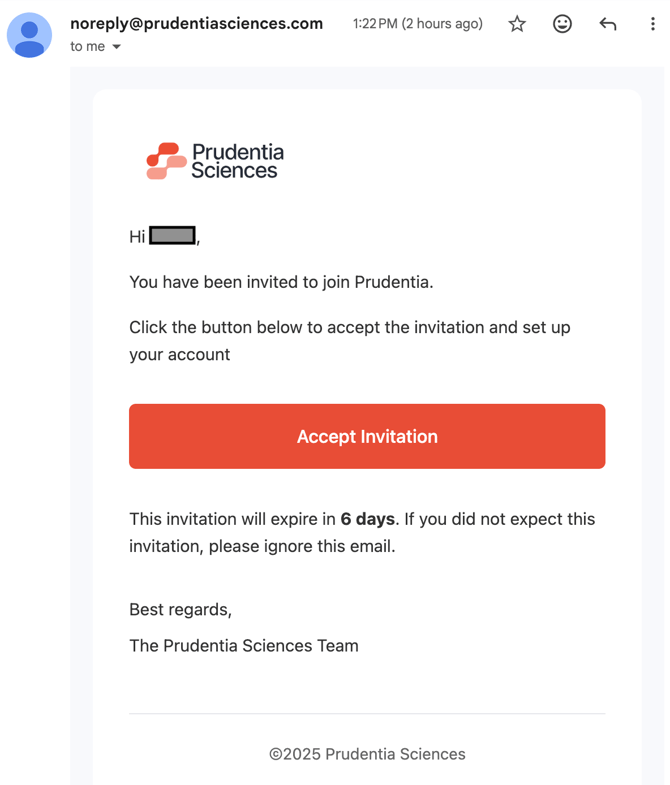
Prudentia Sciences takes security seriously. Prudentia Sciences will never ask you for your password. If you think you have received an email from Prudentia Sciences in error, directly contact your Prudentia Sciences Customer Success Manager to verify.
- Click “Accept Invitation” → you will be brought to a password setup page where you need to enter your password twice to validate it. Follow the prompts to ensure you enter a password that complies with Prudentia Sciences’ password strength requirements.
Logging in to the Prudentia platform
- In any Chromium-based browser, enter:
https://prudentiasciences.com/login - You will be presented a page in your browser that looks like the following to enter your Username and Password:
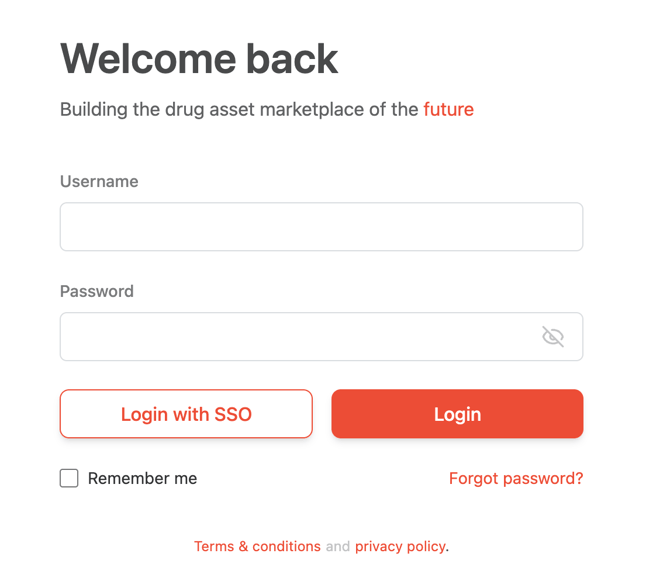
- Clicking the “Remember me” checkbox will retain your Username when you come back to the site.
- If you forget your password, click on “Forgot password?” and you will be redirected to that process.
- Click the “Login” button to go to the Prudentia Sciences dashboard.